Generate a Flutter App from Your Tomato App
- Published on
- Reading time
- 3 min read
Turn your TomatoPHP CRUDs into a working Flutter app: install tomato-flutter, run one Artisan command, and wire it to your Laravel API.
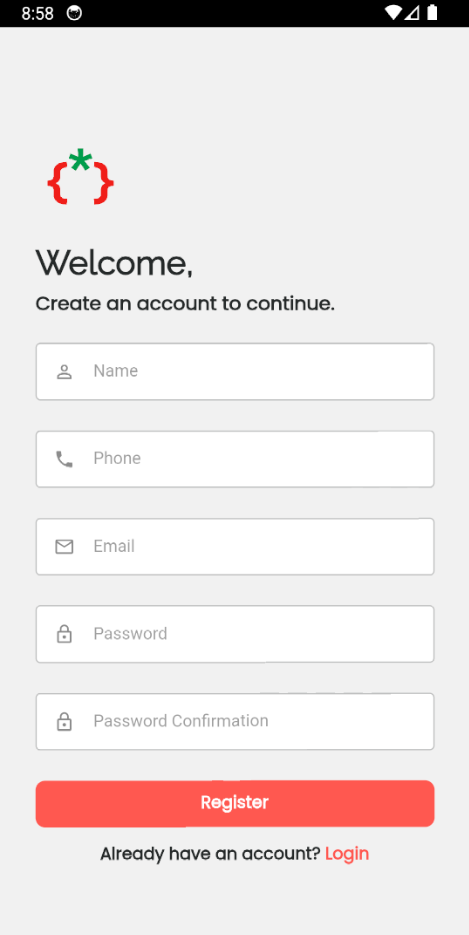
As we keep going to make everything easy, today we are releasing a very good package: it builds a Flutter app with just one command, generating a full CRUD from your schema and the files TomatoPHP already generated for you. In this post I cover the requirements, the installation, and every generator command, from a whole app down to a single CRUD, plus how to point the app at your API.
Requirements
Before you start, make sure three things are in place.
-
Flutter is installed and working. Check it with:
flutter doctor -
A device is available. You must have at least one emulator or device connected to your system.
-
Two TomatoPHP packages run in your Laravel app: Tomato Admin and Tomato CRM.
After installing Tomato CRM, make sure you add an accounts guard to your auth.php config, like this:
    'guards' => [
        'web' => [
            'driver' => 'session',
            'provider' => 'users',
        ],
        'accounts' => [
            'driver' => 'session',
            'provider' => 'accounts',
        ],
    ],

...


    'providers' => [
        'users' => [
            'driver' => 'eloquent',
            'model' => App\Models\User::class,
        ],

        'accounts' => [
            'driver' => 'eloquent',
            'model' => \TomatoPHP\TomatoCrm\Models\Account::class,
        ],
    ],
The accounts guard and provider tell Laravel to authenticate users of the mobile app against the Tomato CRM Account model, separately from your admin users.
Installation
Require the package:
composer require tomatophp/tomato-flutter
Now you are ready to generate a new app.
Generator commands
Generate an app
To generate a new app, run:
php artisan tomato-flutter:generate
Generate a module
To generate a new module, run:
php artisan tomato-flutter:module
Generate a controller
To generate a new controller, run:
php artisan tomato-flutter:controller
Generate a service
To generate a new service, run:
php artisan tomato-flutter:service
Generate a CRUD
To generate a new CRUD from any table among your TomatoPHP-generated CRUDs, run:
php artisan tomato-flutter:crud
Please note that the generated files match only APIs generated by TomatoPHP, and you need to add the API routes to api.php:
Route::middleware(['auth:sanctum'])->name('api.')->group(function () {
    Route::get('customers', [\Modules\Customers\Http\Controllers\CustomerController::class, 'index'])->name('customers.index');
    Route::post('customers', [\Modules\Customers\Http\Controllers\CustomerController::class, 'store'])->name('customers.store');
    Route::get('customers/{model}', [\Modules\Customers\Http\Controllers\CustomerController::class, 'show'])->name('customers.show');
    Route::post('customers/{model}', [\Modules\Customers\Http\Controllers\CustomerController::class, 'update'])->name('customers.update');
    Route::delete('customers/{model}', [\Modules\Customers\Http\Controllers\CustomerController::class, 'destroy'])->name('customers.destroy');
});
These routes expose the index, store, show, update and destroy actions of the generated controller behind Sanctum authentication, which is exactly what the generated Flutter screens call.
Change the endpoint
To make the app hit your own URL, change the endpoint in this file:
flutter/YOUR_APP/lib/config/Config.dart
If you are testing the app on the Android emulator, point the endpoint to http://10.0.2.2:8000/api, then run:
php artisan serv
in your Laravel app.
Wrapping up
With Tomato Admin and Tomato CRM in place, one package and a handful of Artisan commands turn the CRUDs you already generated in Laravel into a working Flutter app, with its modules, controllers, services and screens wired to your TomatoPHP API.